Most Gmail extensions fall into one of two traps: they add features Gmail already has, or they require you to hand over inbox access to a third-party server. This list covers extensions that actually solve real problems — organized by what problem they fix. We've included honest caveats for each one, including Envelomail, which we make and which wins the UI category. Whether it's the right fit depends entirely on what's actually slowing you down.
Category 1: Clean Up the Interface
Gmail's interface has accumulated years of additions — Chat, Meet, right-side panel, app grid, Promotions tabs — none of which are bad individually, but together create a lot of noise. These extensions address that directly.
Envelomail
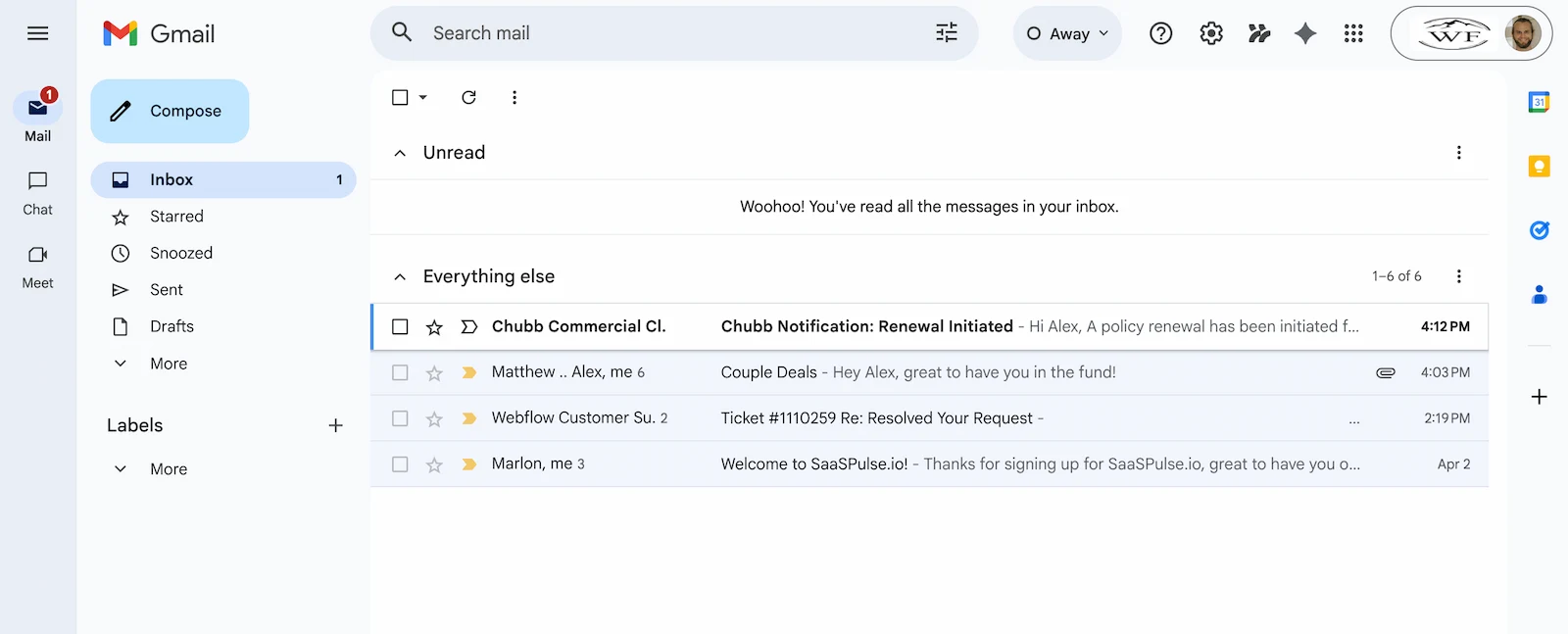
Editor's pick UI / FocusRemoves Gmail's visual clutter entirely — sidebars, toolbars, the Google app icon grid, tabs — and replaces the whole interface with a minimal, keyboard-first inbox. Cormorant Garamond typography, cream background, and a genuine focus mode that hides everything except the email in front of you. Adds a full keyboard shortcut library on top of Gmail's existing shortcuts, so navigating by keyboard becomes the default rather than the exception.
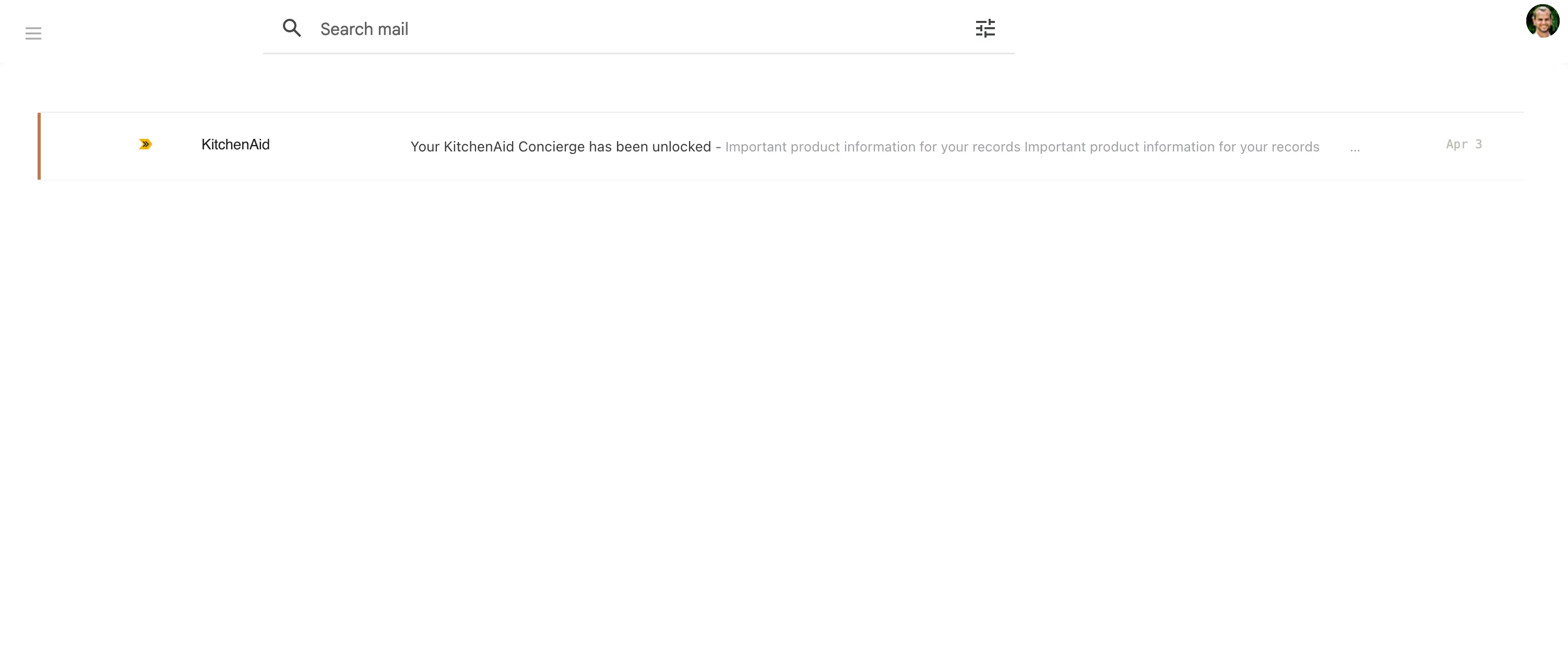
A single-developer extension by Michael Leatherman that has been quietly improving Gmail's interface for years. It hides most of the clutter — tabs, right sidebar, excess chrome — and applies a more streamlined layout without touching the core Gmail experience. It's a lighter touch than Envelomail: the bones of Gmail remain, just trimmed back.
Category 2: Unsubscribe and Clean Up
If your inbox problem isn't the interface but the volume — hundreds of newsletters you barely read, promotional emails you never signed up for — these two take different approaches to the same problem.
Unroll.me
UnsubscribeScans your inbox, identifies subscription emails, and lets you unsubscribe in bulk. Also offers a "Rollup" feature — a daily digest that combines all your newsletters into a single email instead of cluttering your inbox throughout the day. The product genuinely works for what it does.
Leave Me Alone
UnsubscribeA paid service ($2.50/month) that shows a dashboard of all your subscriptions, how frequently each one sends, and lets you unsubscribe cleanly. Built with privacy as an explicit priority — they're transparent about what data they access and why. The paid model is part of how they avoid the "monetize the data" trap that free tools can fall into.
Category 3: Scheduling and Follow-ups
These extensions sit between inbox and CRM — they're for people who send a lot of email and need to track whether anything comes back.
Boomerang
SchedulingLets you schedule emails to send at a future time, get a reminder if someone doesn't reply, and use "inbox pause" to temporarily stop new email from arriving while you focus. One of the older players in this space — been around since 2010 — and still one of the most reliable options for follow-up workflows.
Mixmax
Scheduling / SalesCovers scheduling, read receipts, email templates, and calendar links you can embed directly in email. Broadly a sales tool — built around the assumption that you're sending a lot of outreach and need to track engagement. The feature set is genuinely broad.
Category 4: Writing and Editing
Grammarly
WritingInline grammar and spelling checking in Gmail's compose window. The free tier handles basic corrections; the paid tier adds style suggestions, tone analysis, and more. Well-integrated — suggestions appear inline without requiring you to leave the compose window.
Category 5: Security and Privacy
Ugly Email
PrivacyDetects and blocks tracking pixels — the invisible 1×1 images embedded in marketing emails that notify the sender exactly when you opened their message. When Ugly Email detects a known tracker in an email, it flags it in the inbox view and blocks the pixel from loading.
Quick Comparison: All Eight at a Glance
| Extension | Category | Free? | Data privacy | Best for |
|---|---|---|---|---|
| Envelomail | UI / Focus | 14-day trial | Data stays in Google | Power users, keyboard-first |
| Simplify Gmail | UI | Free | N/A | Light declutter |
| Unroll.me | Unsubscribe | Free | Known past issues | Bulk unsubscribe |
| Leave Me Alone | Unsubscribe | Paid | Privacy-first | Cautious users |
| Boomerang | Scheduling | Limited free | Standard | Follow-ups |
| Mixmax | Scheduling / Sales | Limited free | Standard | Sales teams |
| Grammarly | Writing | Free / Paid | Read privacy policy | Professional writers |
| Ugly Email | Privacy | Free | Privacy-focused | Tracker blocking |
Gmail, without the noise
A Chrome extension that replaces Gmail's cluttered interface with something minimal and keyboard-first. Your emails, your account — just a quieter way to see them.
Add to Chrome — free trialHow to Think About This
The right set of Gmail extensions depends entirely on your workflow. If you're optimizing for speed and focus, start with interface and keyboard improvements before adding features. More extensions means more permissions, more potential conflicts, and more maintenance overhead every time Google updates something. Start with one, see if it actually changes how you work, and only add another if you hit a wall that one didn't solve.